Skip to content Skip to footer

BECAUSE YOUR WORK MATTERS

You don’t create “good enough” illustrations or settle for “close enough” dimensions.
When lives, machinery, and mission-critical systems depend on accuracy –

YOU DON’T COMPROMISE.

neither do we.
Technical Illustration software

Purpose-built 2D vector graphics software for technical illustrators who demand

precision without compromise.
All in one graphics software

Vector +
Raster in One

All in one graphics software

Precision
Technical Tools

Auto Trace Software

Auto Trace
Made Easy

Intuitive Graphics Software

Intuitive,
Fast Workflow

Technical Illustration software at a great price

Pro Power
Fair Price

Everything you need, nothing you don’t.
Who Uses canvasxdraw?

Patent Illustrators: Producing USPTO-compliant patent drawings that meet strict formatting and line-weight rules, filing after filing.

IP Drafting Teams & Patent Agencies: Handling high-volume illustration work across multiple attorneys
and filings without a CAD license per seat.

Patent Attorneys’ Documentation Staff: Turning inventor sketches and CAD exports into figures that are
ready to submit, on tight filing deadlines.

Independent Inventors: Preparing their own patent drawings for provisional or non-provisional filings
without hiring an illustrator.

Mechanical Technical Illustrators: Converting CAD models and engineering data into clear parts diagrams and exploded assemblies for manuals and catalogs.

Mechanical Designers & Engineers: Creating clean, professional mechanical illustration outputs without requiring a dedicated CAD license for every user.

Technical Writers & Documentation Teams: Building accurate service manuals and maintenance guides that remain consistent through every revision.

Equipment Manufacturers & Industrial Suppliers: Standardizing parts diagrams and symbol libraries across product lines for consistent documentation.

Maintenance & Training Organizations: Producing clear, reliable diagrams that technicians can easily understand and trust on the shop floor.

Aerospace Technical Illustrators: Producing mission-critical parts diagrams and aerospace illustrations with exceptional precision and accuracy.

Aircraft Designers & Aerospace Engineers: Creating precise illustration outputs without requiring access to a dedicated CAD license.

Technical Writers & Engineering Documentation Teams: Maintaining accurate, revision-controlled technical manuals across aircraft programs.

Aviation Manufacturers & Aerospace Suppliers: Standardizing technical documentation across suppliers, production runs, and aircraft programs.

Maintenance & Training Organizations: Building clear, reliable diagrams that maintenance crews can depend on while meeting strict compliance standards.

Automotive Technical Illustrators: Producing accurate wiring diagrams, parts catalogs, and automotive illustrations for every model year.

Documentation Teams & Technical Writers: Keeping diagrams accurate and up to date as vehicle variants, configurations, and revisions expand.

OEM Engineering Documentation Groups: Standardizing illustration output across entire vehicle programs for consistent technical documentation.

Aftermarket Parts Suppliers: Creating accurate parts diagrams without requiring a dedicated CAD license for every illustrator.

Dealer Publications & Service Training Teams: Building clear, shop-floor-ready diagrams that technicians can easily understand and act on.

Scientific Illustrators & Science Communicators: Turning raw data into precise, publication-quality figures that can withstand peer review, with dedicated scientific illustration software for creating accurate, professional scientific visuals.

Researchers & Academic Documentation Teams: Producing publication-ready figures that meet journal guidelines and formatting standards.

Biotech & Pharmaceutical R&D Teams: Creating accurate, data-driven visuals for research, technical, and regulatory documentation.

University Labs & Medical Illustrators: Building reproducible, numerically precise figures for research, study, and publication.

Journal Authors: Preparing submission-ready graphics that meet technical requirements, including IEEE floating-point precision standards.

Construction Documentation Specialists: Producing accurate site plans, floor plans, and as-built drawings that meet project and on-site requirements.

Technical Illustrators & Drafters: Converting CAD files into clean, professional, and standards-compliant construction drawing sets.

Architects’ & Contractors’ Documentation Teams: Maintaining accurate, revision-controlled drawing sets throughout the full project lifecycle.

General Contractors & Subcontractors: Producing detailed construction drawings without requiring a full CAD license for every user.

Suppliers & Permitting/Compliance Staff: Standardizing symbol libraries and drawing formats across projects while meeting applicable jurisdictional requirements.

Technical Illustrators & Drafters: Producing precise 2D engineering drawings without occupying a dedicated CAD seat.

Engineers & Technical Writers: Creating accurate scale drawings and standards-compliant documentation for engineering handoffs.

Small Design & Engineering Teams: Achieving CAD-level precision without the high costs and licensing complexity of traditional CAD software.

Freelance Drafters: Delivering professional 2D drawing sets to clients without the overhead of enterprise software.

Documentation Departments: Standardizing 2D drawing output across teams without requiring a dedicated CAD license for every user.

Nuclear Engineers: Documenting system design intent, technical markups, and nuclear engineering communication across plant systems.

Mechanical Engineers: Producing and maintaining accurate component drawings, maintenance drawings, and technical illustrations for plant equipment.

Maintenance Planners & Technical Writers: Creating maintenance work instructions, procedure diagrams, and workflow drawings for maintenance crews.

Outage Planning Teams: Assembling work-package drawings and sequence illustrations while working within tight outage schedules.

Document Control & Configuration Management Staff: Maintaining revision-controlled, exportable, and securely shareable technical drawing packages.

Technical Illustration Software
Graphic Design Software

OUR HERO

Technical Illustrator

Click down arrow for more details

canvasxdraw is engineered for technical illustrators who demand total control — because “close enough” isn’t good enough.

From vector precision to rich photo editing, canvasxdraw gives you the full power of a design suite without the noise, bloat, or compromises. 

canvasxdraw delivers professional performance without the enterprise price tag — giving technical illustrators the freedom to choose the tool they deserve, right from our online store. 

Value without compromise.

Affordable

Don’t compromise on your tools. canvasxdraw is the high-end application intentionally priced far below the competition, ensuring maximum power without the massive sticker price. For those who believe good enough isn’t good enough, this is your best investment.

Complete

Time is money. Professionals who don't compromise know that jumping between vector editors, photo-editing suites, and layout tools is inefficient—and expensive. canvasxdraw is the COMPLETE solution, uniting the industry’s best vector graphics, rich raster editing, and technical illustration tools into a single, intuitive application.

.035 Micron

canvasxdraw is made for technical illustrators, who demand accuracy, efficiency, and creative freedom - not workarounds. Every tool, every pixel, every workflow is designed to meet the exact standards of professionals who refuse to settle

Value without compromise.

Affordable

Don’t compromise on your tools. canvasxdraw is the high-end application intentionally priced far below the competition, ensuring maximum power without the massive sticker price. For those who believe good enough isn’t good enough, this is your best investment.

Complete

Time is money. Professionals who don't compromise know that jumping between vector editors, photo-editing suites, and layout tools is inefficient—and expensive. canvasxdraw is the COMPLETE solution, uniting the industry’s best vector graphics, rich raster editing, and technical illustration tools into a single, intuitive application.

.035 Micron

canvasxdraw is made for technical illustrators, who demand accuracy, efficiency, and creative freedom - not workarounds. Every tool, every pixel, every workflow is designed to meet the exact standards of professionals who refuse to settle

FIND YOUR FIT

Pricing Plans

Subscribe

Buy

Most Popular


All in one graphics software universal for macOS

1 Year Term

Most Popular


Visualize complex ideas with precision and clarity

1 Year Term

Most Popular


Combining a rich graphic toolset with sophisticated geospatial data handling

1 Year Term

Most Popular


All in one graphics software, universal for macOS

perpetual license

Most Popular


Visualize complex ideas with precision and clarity

perpetual license

Most Popular


Combining a rich graphic toolset with sophisticated geospatial data handling

3 Year Term

Offline (air-gapped) licensing available contact sales@vectorgfx.net

View System requirements for Mac or Windows here

Trusted by professionals who give a damn

For over 35 years, Canvas X Draw has fueled technical illustrators across aerospace, defense, manufacturing, research, and geospatial industries. And we continue to innovate based on your needs.

Hundreds of thousands of pros who care about getting it right.

100% focused on the people who do the work that matters.

Section Title

DXF vs. DWG: What Actually Survives the Import 

“Full AutoCAD compatibility” gets thrown around a lot in this industry. It’s worth...

What Really Happens to Your Vector Data When You Change File Formats

A file format conversion isn’t a neutral pass-through. Every format represents geometry, text...

File Formats, Interoperability, and the Standards Behind Good Technical Documentation 

We know our audience doesn’t need convincing prose about how great a piece of software…...

The canvasxdraw How-To Series: 

11 Episodes, One Place to Find Them All  Over the past several months, we’ve been…...

canvasxdraw How-To Series, Episode 11: 

How to Wrap Text Along an Object  We touched on writing text along a path…...

canvasxdraw How-To Series, Episode 10:  

Charts Overview  This episode, the Vector GFX team walks through building charts directly in...

canvasxdraw How-To Series 

Episode 9: Smart Tools  This episode, the Vector GFX team shows you Smart Snaps. This…...

canvasxdraw How-To Series, Episode 8: The Curve Tool 

This episode, the Vector GFX team shows you the Curve tool, how to draw smooth,…...

canvasxdraw How-To Series, Episode 7: 

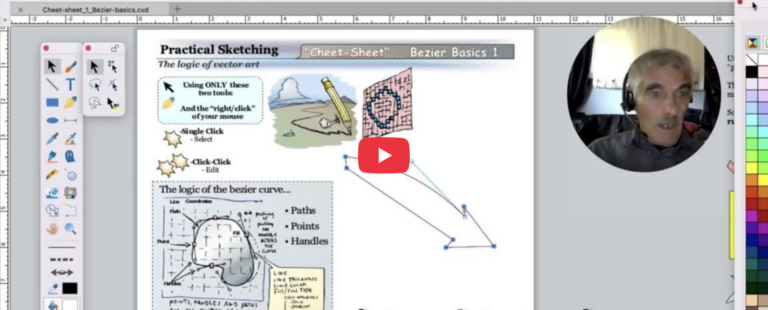
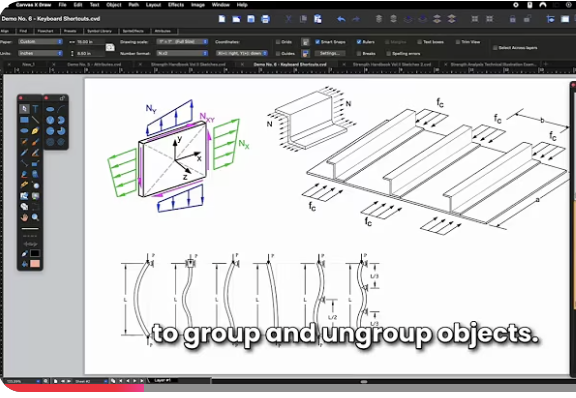
An Engineer’s Guide to Grouping, Combining, and Working with Objects  This episode comes...